

Getting Started with JunFeng
Pick your platform: WeChat Mini-Program (home pickup or standard consolidation), web portal, or mobile app
Get up and running in 3 minutes — international shipping as simple as a domestic courier
Scan into the JunFeng WeChat Mini-Program
Scan the QR code below with WeChat to open the JunFeng Mini-Program directly. No app download required — place an order from anywhere, anytime.
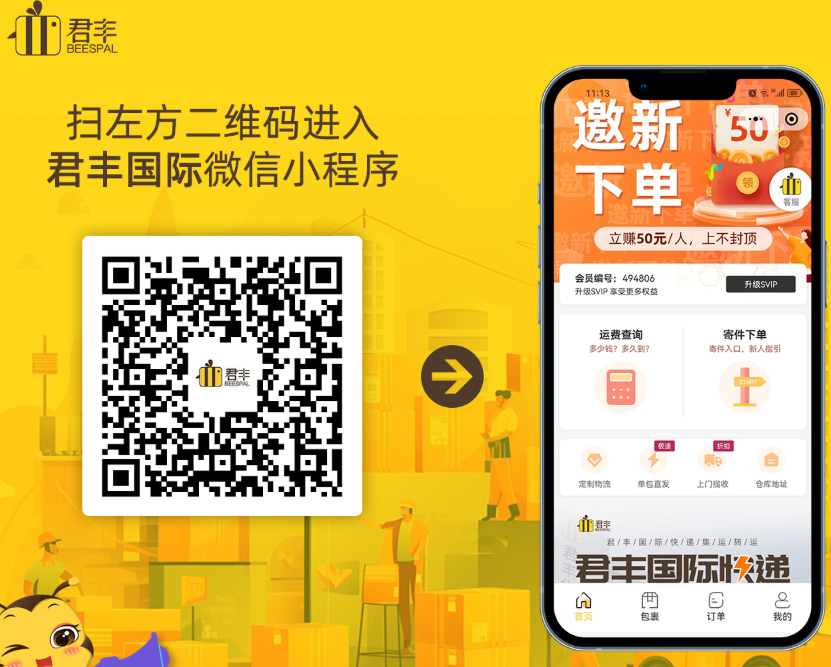
- First use auto-registers you and assigns a member ID
- Real-time tracking and live chat support built in
- Registration is completely free — no top-up required
Choose "Item I bought online"
Tap "Ship a parcel" and select Item I bought online, shipping overseas. This is the standard flow for online purchases, and it supports merging orders from multiple stores into one shipment to save on freight.
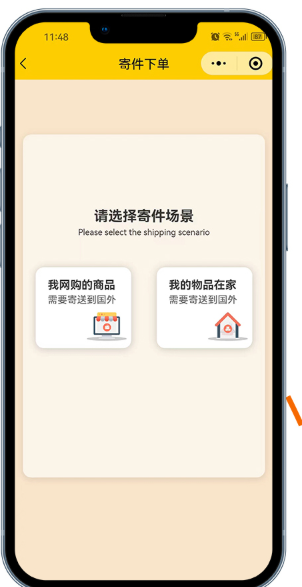
- Items ship to our domestic warehouse first, then internationally
- Consolidating multiple stores' orders into one shipment saves on freight
Copy your unique delivery address for checkout
Copy your unique delivery address in the Mini-Program with one tap, then paste it into the checkout field on Taobao, JD, or any online store. Items ship automatically to our warehouse.
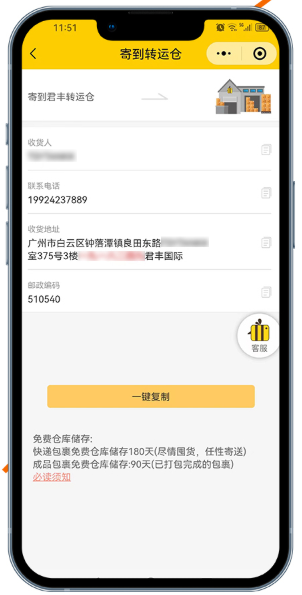
- The address embeds your personal code — copy it in full, don't edit it
- Warehouse addresses differ by destination country — pick the right one
- Check the prohibited items list before buying anything borderline
Parcels arrive — select consolidation
Once your online purchases reach our warehouse, open the Mini-Program to see them logged, tick the ones headed overseas, and tap "Submit for packing." Consolidating several parcels typically cuts shipping cost by 30-50%.
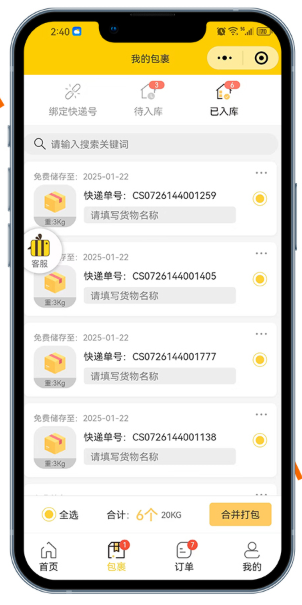
- Arrivals are logged automatically and viewable in real time
- Free storage for 180 days; a storage fee applies after that
Pay — or watch the full packing video first
Once packing is done, review and pay the shipping cost. After payment, you can watch the packing video recording — the full unboxing and consolidation process — for complete transparency.
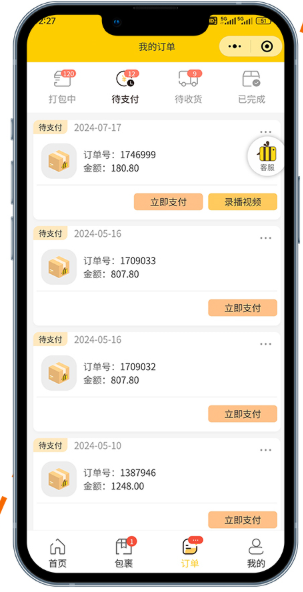
- Video recording is live now — watch the full packing process
- Multiple payment methods supported
Track in real time and sign for delivery
Once dispatched, you can watch tracking update in real time inside the Mini-Program. When it arrives, inspect the parcel before signing to complete the process.
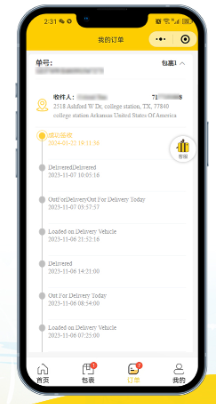
- You'll get push notifications at key milestones
- Always inspect before signing — photograph any issue on the spot
- Report problems within 3 days of delivery to file a claim
- Happy with the service? A review goes a long way ⭐
Home pickup — enter your details
Select "Home Pickup" in the Mini-Program and enter sender info, recipient info, preferred pickup time and parcel weight, then choose a shipping method and submit.
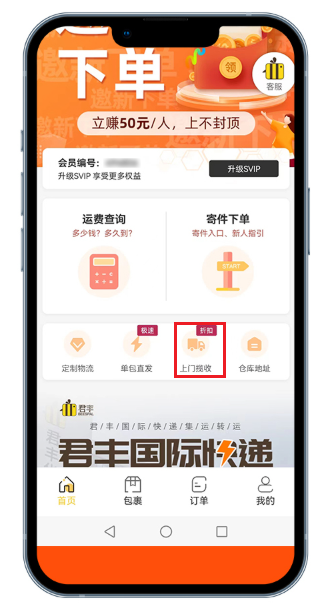
- Enter accurate weight and dimensions to avoid billing discrepancies
- Choose a convenient time window — the courier arrives on schedule
- Pickup is available within mainland China only
Parcel arrives — packing starts automatically
Once the courier delivers your parcel to our warehouse, staff inspect, weigh, and photograph it, then move straight into packing — no action needed from you.
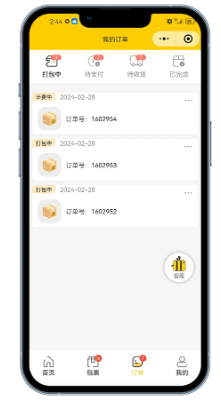
- Packing is completed within 1-2 business days of arrival
- Track parcel status and photos in real time in the Mini-Program
Review the cost and confirm payment
Once packing is complete, the shipping cost is calculated automatically. Review it in your order dashboard, confirm it's correct, and choose a payment method — your parcel then ships.
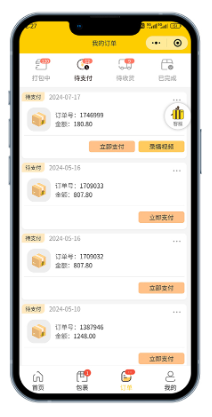
- Cost is based on whichever is greater: actual or volumetric weight
- Multiple payment methods supported
Track in real time and sign for delivery
Once dispatched, you can watch tracking update in real time in the Mini-Program. Inspect the parcel carefully before signing when it arrives.
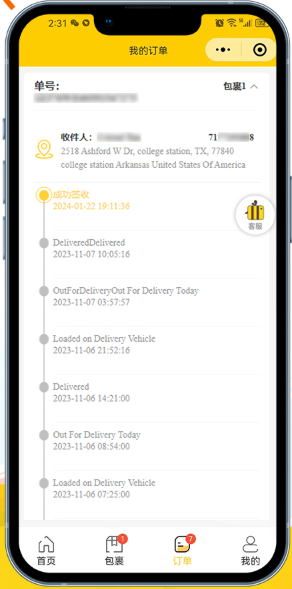
- You'll get SMS/email notifications at key milestones
- Inspect before signing — photograph and keep evidence of any issue
- Report problems within 3 days of delivery to file a claim
Scan the QR code to open the JunFeng web portal
Scan the web portal QR code with your phone's browser or WeChat to open the JunFeng portal. Works on both desktop and mobile browsers — a good fit if you prefer working from a computer.

- Works on both desktop and mobile browsers
- Bookmark it for quick access next time
Log in — returning users, or register as a new user
Returning users: enter your username and password to log in directly.
New users: tap "Register," pick any display name, and register with an email and password.
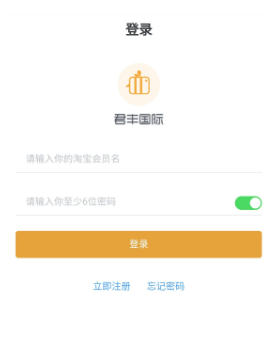
- Your display name can be anything memorable
- Your email receives parcel status notifications — enter it accurately
- Forgotten passwords can be reset via email
Select "JunFeng Official Site"
After logging in, you'll see a source-selection prompt — choose "JunFeng Official Site" to reach the portal homepage. This only appears on first use; it's remembered afterward.
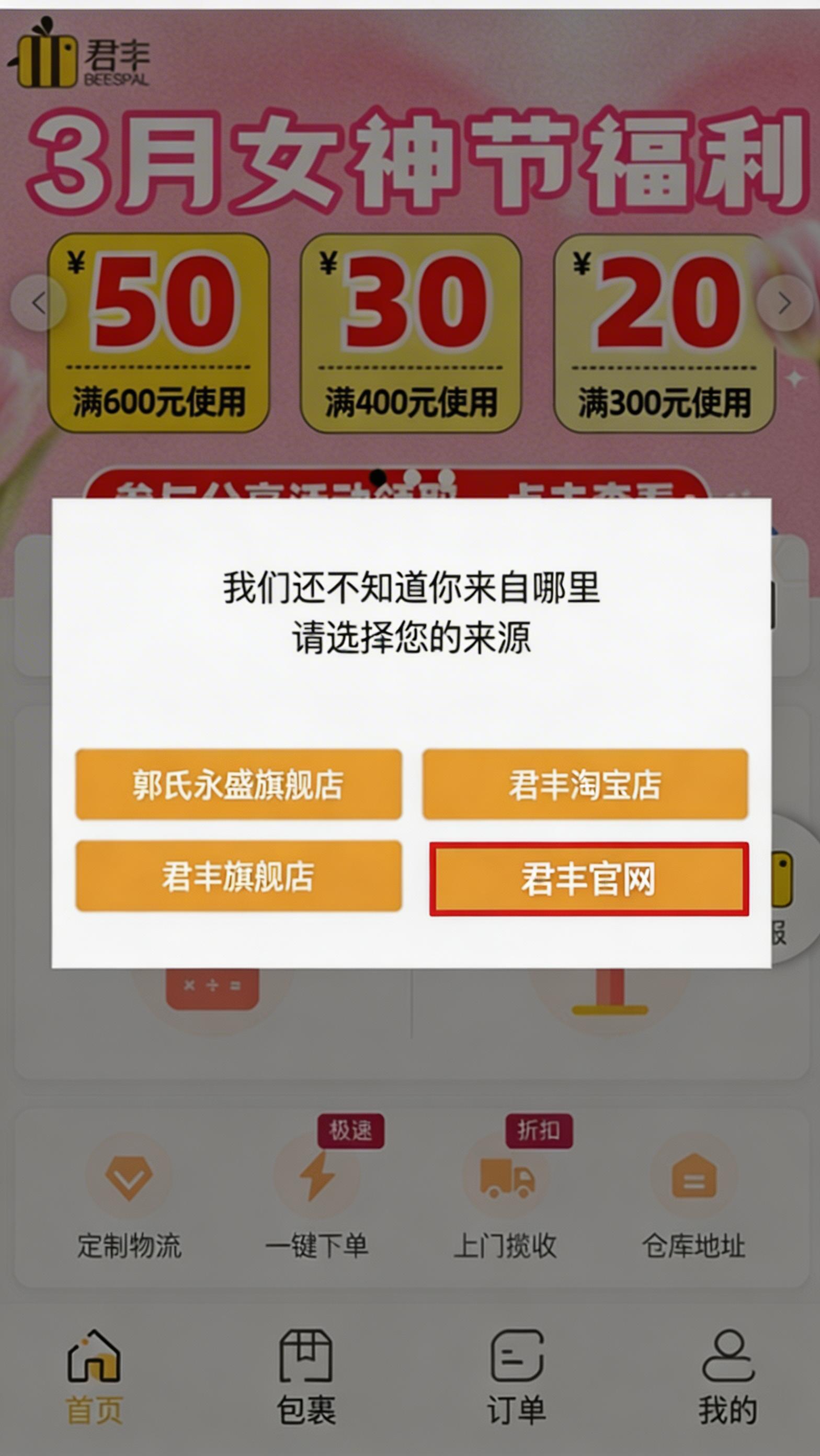
Portal homepage — quick overview
The homepage puts shipping cost estimates, home pickup, and quick ordering one tap away. Unsure of anything? Tap the support icon to chat with our team on WeChat Work.
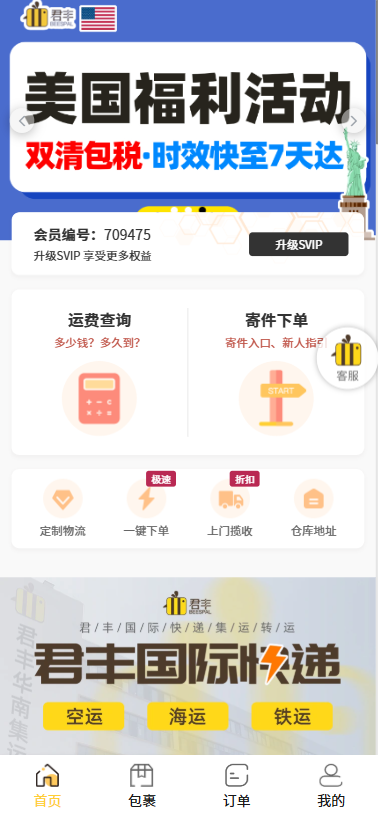
- Bottom navigation: Home, Parcels, Orders, Account
- Reach live support any time via the chat icon
Parcels tab — link tracking numbers and manage arrivals
Tap "Parcels" in the bottom menu: Link a tracking number to follow a package before it arrives; Awaiting arrival shows linked parcels in transit; Received lets you select multiple parcels and submit them for consolidated packing.
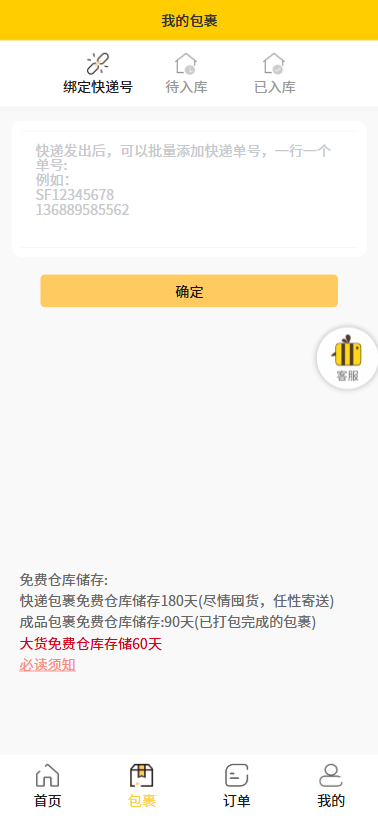
- Linking a tracking number enables real-time status tracking
- Select multiple received parcels to consolidate into one shipment
Orders tab — follow order status
Tap "Orders" to follow the status flow: Packing → Awaiting payment → Awaiting delivery → Completed — always know where things stand.
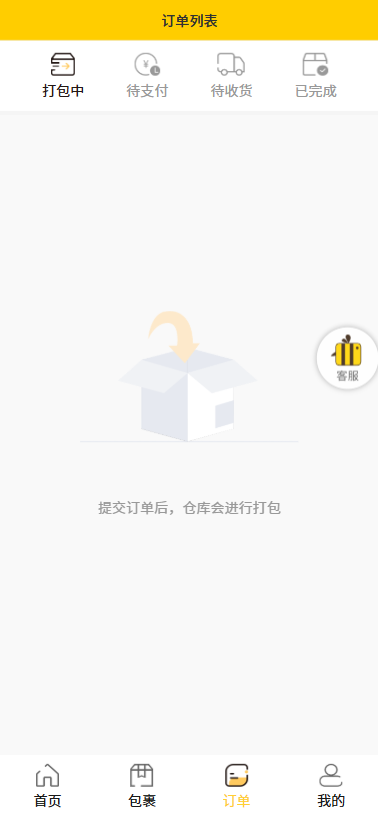
- Order status updates in real time
- Pay promptly on orders awaiting payment to avoid dispatch delays
Account tab — manage your details
Tap "Account" to manage: member ID, account balance (top up for extra savings), coupons, saved addresses (store several), and password settings.
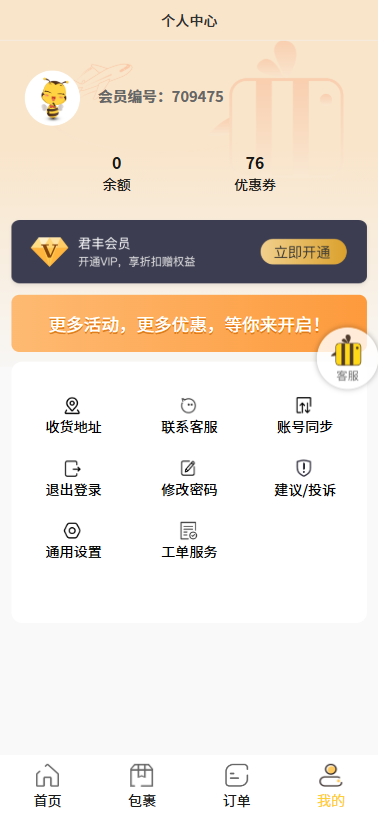
- Topping up your balance can unlock extra savings
- Check for coupons regularly for additional discounts
Get the app — a whole new experience
Scan the QR code below or follow the link to download and install the "JunFeng International" app. Available on both iOS and Android with a smoother, more polished experience.
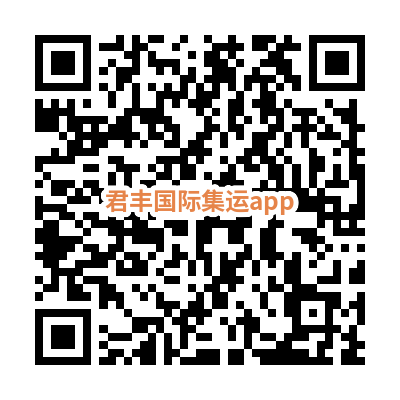
- Available on both iOS and Android
- Smoother, more polished experience than the browser or Mini-Program
- Free to download and install
Set your country and language on first launch
On first opening the app, you can select your destination country right from the home screen, and switch language (Chinese, English, and more) to suit your preference.
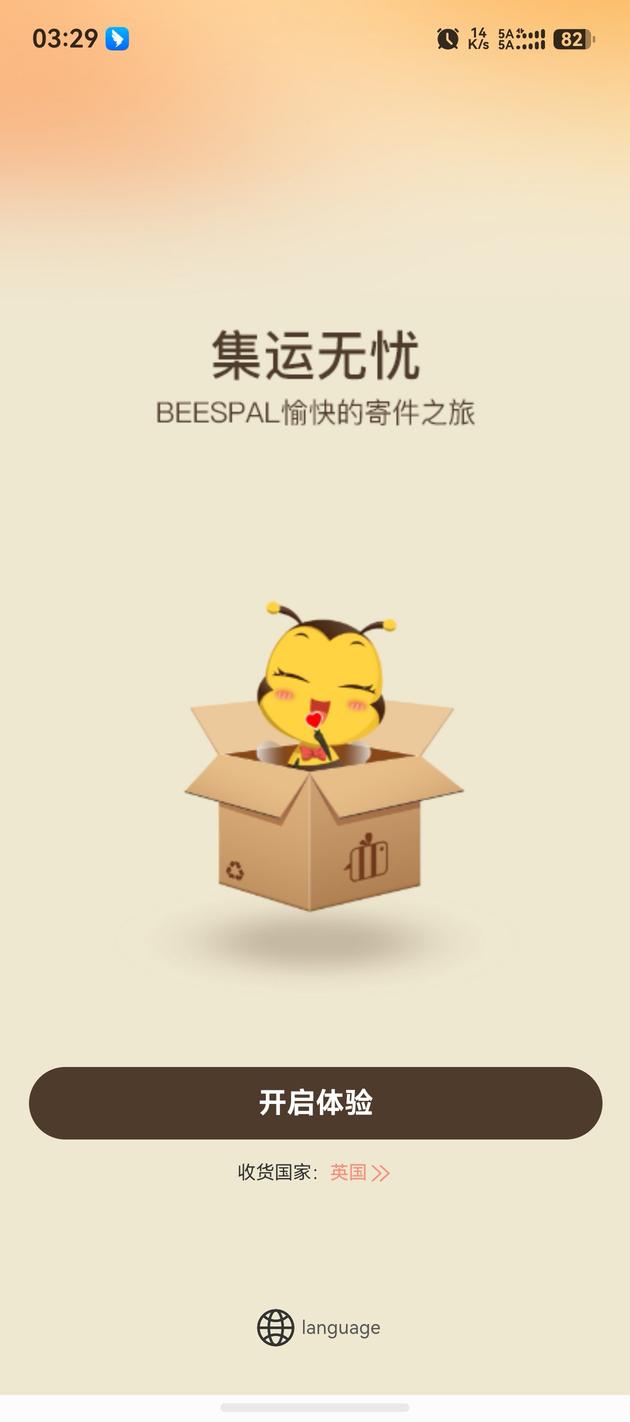
- Supports many destination countries worldwide
- Multi-language UI makes the app easier to use
- Change country or language anytime in Settings
Multiple login options — get in with one tap
The login screen offers several quick options — sign in with Taobao, WeChat, QQ, or email in one tap, no lengthy registration required.
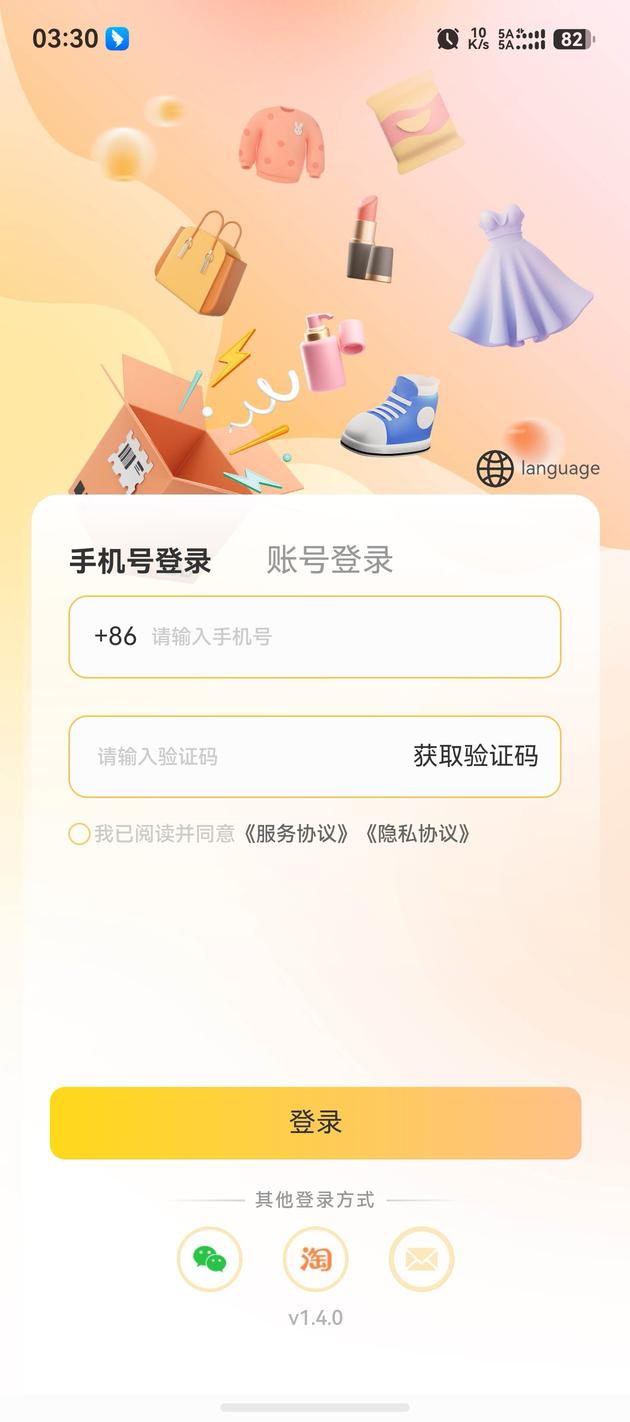
- Sign in via Taobao, WeChat, QQ, or email
- First login auto-registers you and assigns a member ID
- Your data stays fully in sync with the Mini-Program and web portal
Everything you need, one tap away
The home screen is laid out so every core feature is one tap away — quick ordering, parcel management, cost estimates, and tracking — so shipping is hassle-free with fully transparent pricing.
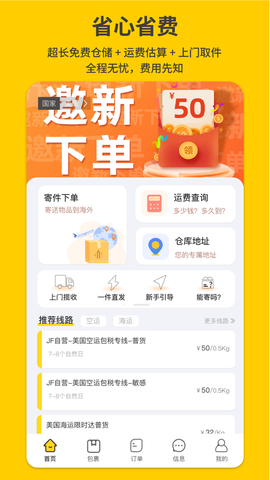
- Quick-access shortcuts to everyday features on the home screen
- Promotions and notifications shown in real time
- Bottom navigation: Home, Parcels, Orders, Account
One-tap Taobao import — skip manual entry
Use the one-tap Taobao import feature to automatically sync order details — item names, tracking numbers, and more — straight from Taobao. No more typing in tracking numbers by hand.
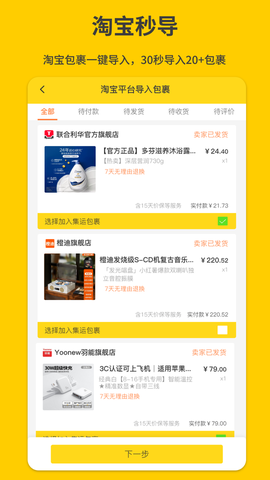
- Once authorized, Taobao order details sync automatically
- Import multiple parcels in bulk
- After import, check status and submit for packing in one tap
Fully visualized tracking, start to finish
Tracking is fully visualized, from the domestic warehouse to final delivery overseas — watch every stage of your parcel's journey in real time, with push notifications at key milestones.
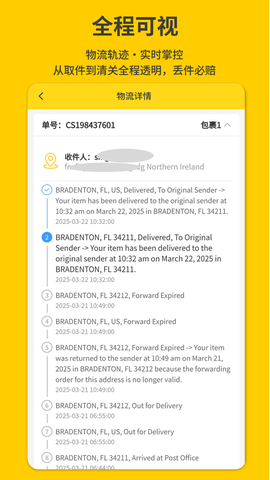
- Push notifications keep you informed the moment status changes
- See full tracking history and estimated delivery date
- Track multiple parcels at once
Official buy-for-you service — zero service fee
Use our official buy-for-you service with zero service fee. Just send us the product link — we handle the purchase and international dispatch, so you can shop anywhere in China with ease.
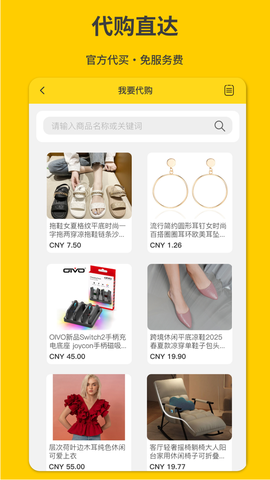
- No service fee — you only pay for the item and shipping
- Covers Taobao, Tmall, JD, and other major platforms
- Purchased items can be consolidated with other parcels
❓ Common Beginner Questions
📱 WeChat Mini-Program: runs inside WeChat, scan to open, no download. Best if you already live in WeChat.
🌐 Web Portal: opens in any browser, desktop or mobile. Best if you prefer working from a computer or don't want to use WeChat.
📲 JunFeng App: standalone install with the smoothest experience. Adds one-tap Taobao import, multi-language switching, push notifications, and other extras.
Our take: all three have identical features and sync in real time — pickup, standard consolidation, parcel management, and order tracking all work the same everywhere. Prefer WeChat? Use the Mini-Program. Prefer a computer? Use the web portal. Want the smoothest ride with extra features? Get the app!
1️⃣ The goods: paid directly to the seller on their platform
2️⃣ International shipping: billed by actual weight from our warehouse to the destination country
No hidden fees — pricing is transparent and shown clearly once packing is complete.
See the full explanation of consolidation
To save money: remove excess retail packaging, or consolidate multiple parcels. Use the volumetric weight calculator to estimate cost upfront.
Restricted goods (need confirmation first): cosmetics, supplements, food, counterfeit-brand items, electronics
Check the full prohibited items list before buying, or ask live support. Customs can seize or destroy prohibited goods with no refund.
Standard consolidation / web portal: seller shipping 3-7 days + the above = 12-40 days total
Home pickup: pickup 1-2 days + the above = 10-35 days total
DDU routes: you're responsible for any duty owed
DDP routes: duty is already included in the shipping cost — nothing further to pay
See the full breakdown in our DDU vs. DDP explainer
💡 Have a different question? Check our full FAQ page, covering 18 of the most common questions on transit times, shipping cost, customs duty, and prohibited items.
🎉 Ready to Start Your Cross-Border Shipping Journey?
Get in touch and we'll set you up in 3 minutes — whether that's the WeChat Mini-Program, the web portal, or the app.
All three platforms have identical features and fully synced data, so you can start with whichever is easiest for you.


Our Services:
JunFeng International | UK · USA · Canada Specialists
Founded in 2012, JunFeng International specialises in freight forwarding and cross-border e-commerce logistics to the UK, USA, and Canada — pickup, line-haul, customs clearance, warehousing, and last-mile delivery, built for reliability and compliance.
ICP Filing: 粤ICP备2026032398号
Copyright © 2026 JunFeng International. All Rights Reserved.
